CONFIDENTIALITY NOTICE : The content of this article is Trasis confidential information and is intended for Trasis customers and partners only. Any sharing of this information with a third party is strictly prohibited.DISCLAIMER : All information provided in this article is for illustrative purposes only and does not reflect real or existing data.1. Where to find my lots

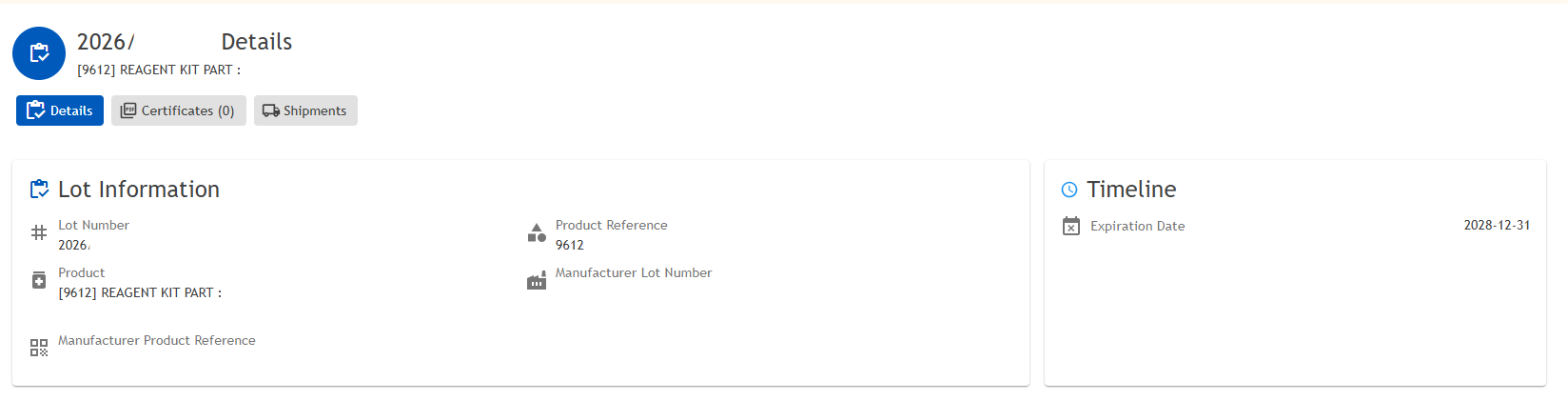
2. What to find in the Lots module

- Your lot number,
- The product reference,
- The product,
- The manufacturer lot number
- The manufacturer product reference.
3. Where to find my certificates
You will find all certificates (certificate of release, certificate of conformity, certificate of analysis) linked to your lot on the bottom. By clicking on the "eye" button, you can view the associated certificate.
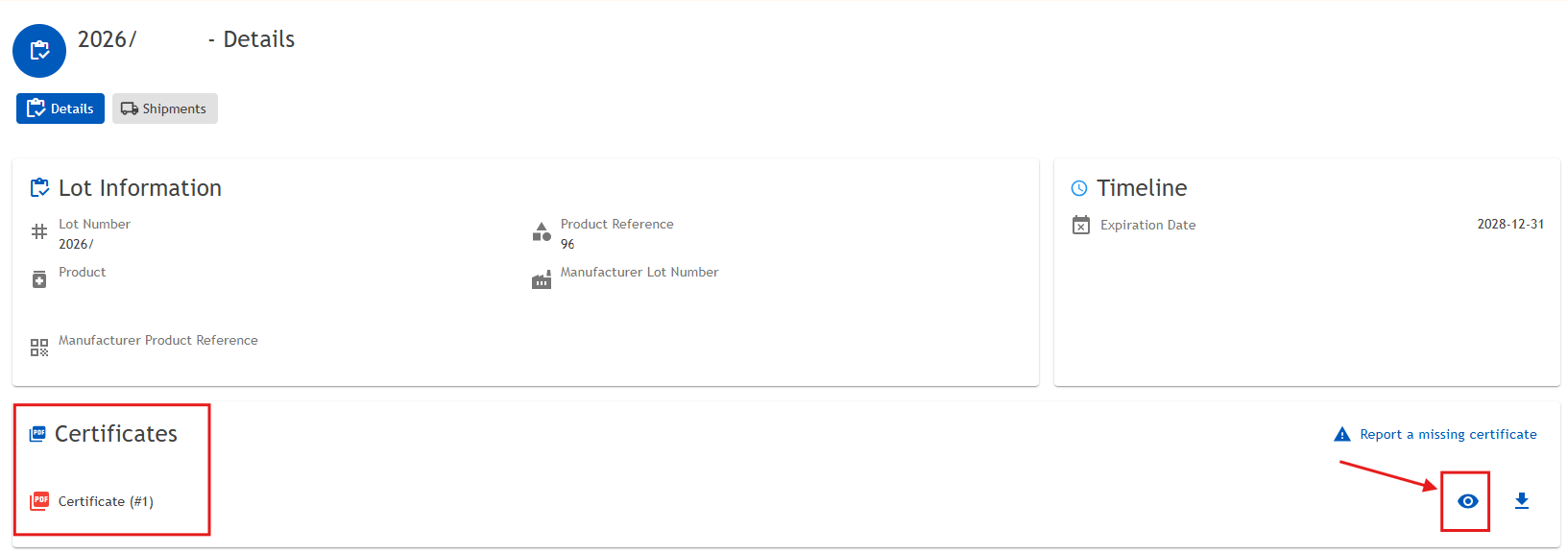
If the certificates are not available, please request them via the appropriate button.

4. Available actions
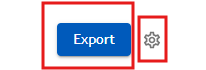
Two actions are available in this menu:
- Export data: You can export the data using the Export button. You may choose to export the current page only or all pages. This action will compile the data from the module and download it as an Excel (.xlsx) file.
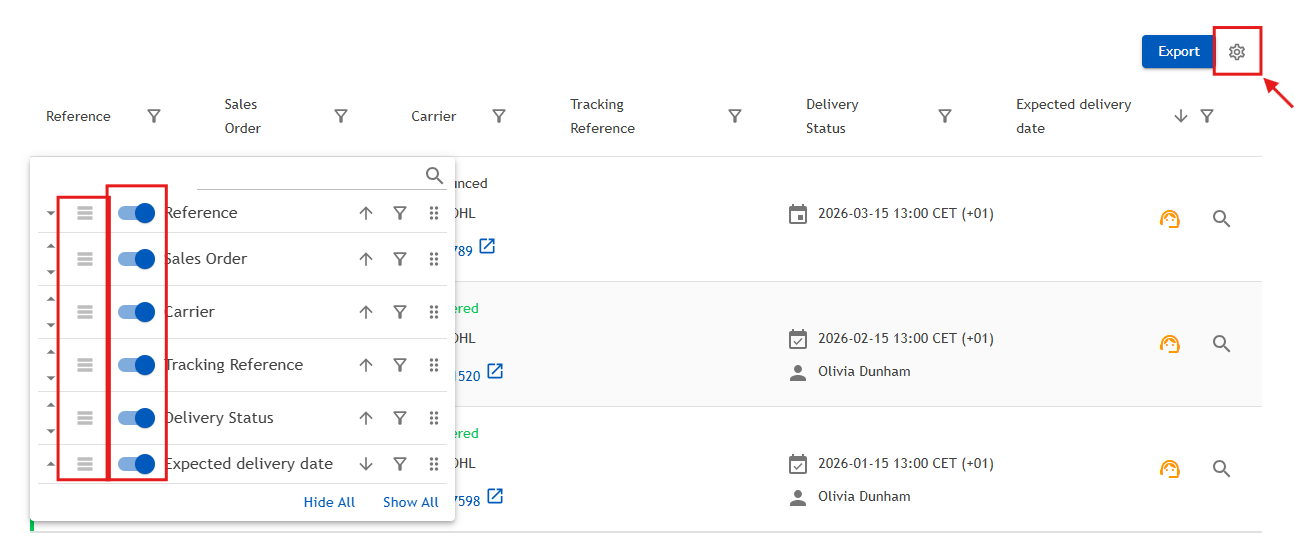
Settings (gear icon): The gear icon allows you to refresh the data and customize the display of the module.
You can:
- Reorder the displayed fields according to your preferences
- Choose which information you want to show or hide
- Rearrange the view to better match your needs
Was this article helpful?
That’s Great!
Thank you for your feedback
Sorry! We couldn't be helpful
Thank you for your feedback
Feedback sent
We appreciate your effort and will try to fix the article